



Quick view
Shop this guide
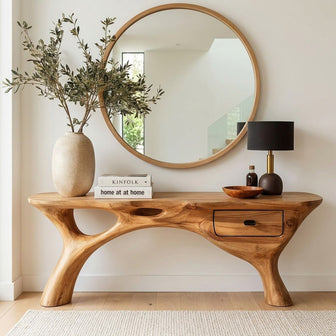
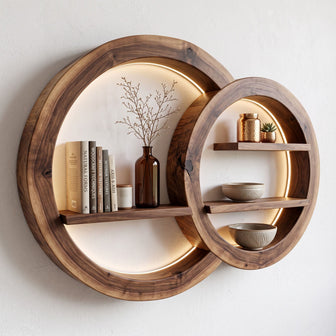
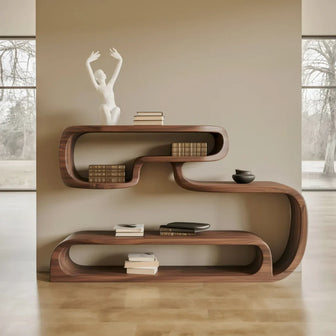
Handcrafted Desk, made to order in solid wood.
 Christmas edit
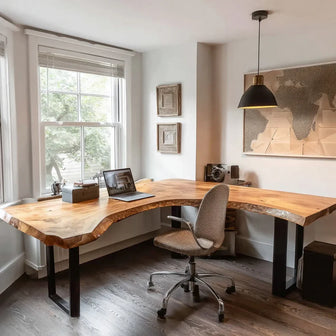
Live Edge L-Shaped Desk – Handmade Solid Wood Corner Desk for Home Office
From $2,340.0010% off at checkout
Christmas edit
Live Edge L-Shaped Desk – Handmade Solid Wood Corner Desk for Home Office
From $2,340.0010% off at checkout
 Christmas edit
Handmade Live Edge Desk – Rustic Solid Wood Office Workstation for Home or Studio
From $2,860.0010% off at checkout
Christmas edit
Handmade Live Edge Desk – Rustic Solid Wood Office Workstation for Home or Studio
From $2,860.0010% off at checkout
 Christmas edit
Sculptural Floating Live Edge Solid Wood Corner Desk & Wall-Mounted Workspace Slab
From $896.00
Christmas edit
Sculptural Floating Live Edge Solid Wood Corner Desk & Wall-Mounted Workspace Slab
From $896.00
 Rustic Floating Shelf Desk – Wall Mounted Study Room Workspace
From $250.00
Rustic Floating Shelf Desk – Wall Mounted Study Room Workspace
From $250.00
 Rustic Floating Shelf Desk – Wall Mounted Study Room Workspace
From $250.00
Rustic Floating Shelf Desk – Wall Mounted Study Room Workspace
From $250.00
 Live Edge Desk – Solid Wood Office Desk with Storage, Modern Computer Desk
From $1,440.00
Live Edge Desk – Solid Wood Office Desk with Storage, Modern Computer Desk
From $1,440.00
A live edge desk brings natural beauty to a home office, but irregular edges and solid wood thickness create ergonomic considerations that standard desk guides ignore. Your desk height needs to match your body - and with solid wood slabs ranging from 1.5 to 2.5 inches thick, the slab you choose directly affects where your elbows, wrists, and eyes end up. This guide gives you the exact numbers. If you're weighing your options, our guide on home office design ideas breaks it down further.

Our artisans craft each live edge desk with workspace ergonomics in mind. We've paired our woodworking knowledge with established ergonomic research to help you set up a home office desk that looks extraordinary and feels right for 8-hour workdays.
Desk Height by User Height: The Complete Table
The correct desk height positions your elbows at 90-110 degrees when typing, with forearms parallel to the floor or angled slightly downward. This reduces strain on wrists, shoulders, and neck. With a live edge desk, account for slab thickness - the measurement that matters is the top-of-desk surface to the floor.
| User Height | Seated Desk Height (Top of Surface) | Keyboard Tray Height | Standing Desk Height |
|---|---|---|---|
| 5'0" (152 cm) | 25-26 inches | 23-24 inches | 38-40 inches |
| 5'2" (157 cm) | 25.5-26.5 inches | 23.5-24.5 inches | 39-41 inches |
| 5'4" (163 cm) | 26-27 inches | 24-25 inches | 40-42 inches |
| 5'6" (168 cm) | 27-28 inches | 25-26 inches | 41-43 inches |
| 5'8" (173 cm) | 28-29 inches | 26-27 inches | 42-44 inches |
| 5'10" (178 cm) | 29-30 inches | 27-28 inches | 43-45 inches |
| 6'0" (183 cm) | 29.5-30.5 inches | 27.5-28.5 inches | 44-46 inches |
| 6'2" (188 cm) | 30-31 inches | 28-29 inches | 45-47 inches |
| 6'4" (193 cm) | 31-32 inches | 29-30 inches | 46-48 inches |
The live edge factor: A standard desk is 0.75-1 inch thick. A live edge slab is 1.5-2.5 inches thick. That extra 0.75-1.75 inches means your desk legs or frame need to be proportionally shorter to hit the same surface height. If you're using a 2-inch thick walnut slab, your base should be 1 inch shorter than what a standard desk calculator suggests.
Source: Height recommendations based on OSHA ergonomic guidelines for computer workstations.
Monitor Distance and Height for Live Edge Desks
Monitor placement follows universal ergonomic principles, but live edge desks add one variable: irregular front edges mean your monitor distance can vary by 2-3 inches depending on where you position it on the slab. We've written a full breakdown in our how to pick a live edge desk post.
Correct monitor distance: 20-26 inches from your eyes to the screen. For a 27-inch monitor, aim for 24-26 inches. For a 24-inch monitor, 20-24 inches works well.
Correct monitor height: The top of the screen should be at or slightly below eye level. With a live edge desk, the slab surface is your baseline. A monitor arm clamped to the back edge (the straight-cut edge, if you have a single live edge configuration) provides the most adjustable height control.
The live edge consideration: If both edges are natural, the desk depth varies along its length. At the widest point, your monitor may sit 28 inches from your eyes; at the narrowest, 24 inches. Choose your monitor position at a point where the desk depth gives you 20-26 inches from the back edge to your seated position.
Recommendation: Place your monitor at the widest section of the slab, where depth is greatest. This also positions it where the live edge has the most dramatic contour - so guests see the most beautiful part of your desk as a backdrop to your screen.


Keyboard and Mouse Placement on an Irregular Surface
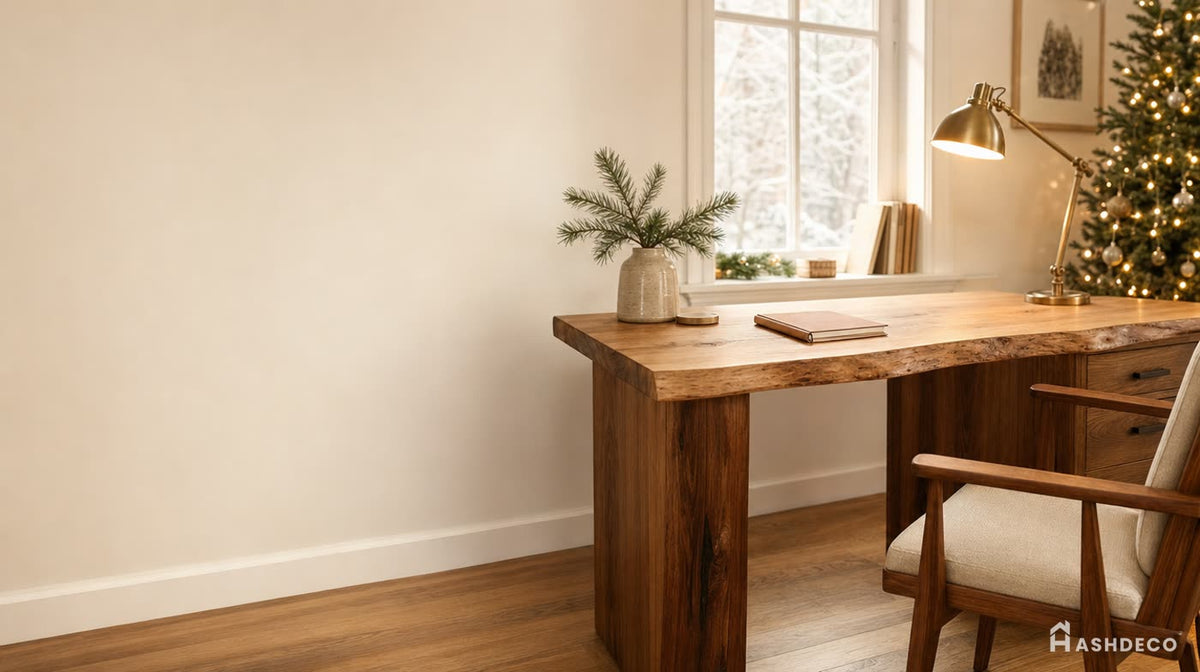
A live edge desk has one straight edge (typically against the wall) and one organic edge (facing you, if the live edge faces outward - or vice versa). Where you place your keyboard relative to that edge matters.
If the live edge faces you: Your forearms rest against an irregular contour. For most people, this is comfortable - the curves create natural armrest positions. However, if the edge dips significantly (more than 1 inch below the average surface plane), use a desk pad. A 24 × 14-inch leather desk pad creates a flat, consistent forearm surface over the live edge variation.
If the live edge faces the wall: You get a straight, consistent front edge for forearm support. This is the more traditionally ergonomic configuration. Reserve this setup if you type for extended periods (4+ hours continuously) or have existing wrist issues.
Keyboard position: Center your keyboard 8-12 inches from the front edge. On a live edge desk measuring 28-30 inches deep, this leaves 16-22 inches behind the keyboard for monitors and accessories. Ensure your wrists are in a neutral (straight, not angled upward) position. If the desk surface is too high, a keyboard tray mounted under the slab corrects the angle.
Mouse placement: Same height as keyboard, directly beside it. On a live edge desk, the natural curve may create more space on one side - place the mouse where the edge is widest for maximum mousing room.
Standing Desk Frame Compatibility Guide
Converting a live edge slab into a standing desk requires matching the slab to a motorized frame. Not all frames work with all slabs. Here's the compatibility data.
| Frame Brand | Max Top Width | Max Top Depth | Max Top Weight | Min Thickness for Bolts | Height Range |
|---|---|---|---|---|---|
| Uplift V2 | 80 inches | 30 inches | 355 lbs | 0.75 inches | 25.3-50.9 inches |
| FlexiSpot E7 | 80 inches | 30 inches | 355 lbs | 0.75 inches | 22.8-48.4 inches |
| Fully Jarvis | 82 inches | 30+ inches | 350 lbs | 1 inch | 24.5-50 inches |
| VIVO V103E | 75 inches | 30 inches | 176 lbs | 0.75 inches | 24-50 inches |
| Autonomous SmartDesk | 70 inches | 30 inches | 310 lbs | 0.75 inches | 26-52 inches |
Slab thickness note: Live edge slabs at 2-2.5 inches thick require longer mounting bolts than what ships with most frames. Order 2.5-inch or 3-inch bolts separately. Use washers on the slab side to distribute force and prevent the bolt head from sinking into the wood over time.
Slab weight guide: A 60 × 30-inch walnut slab at 2 inches thick weighs approximately 55-65 lbs. Ash weighs 45-55 lbs at the same dimensions. Both are well within the weight capacity of every frame listed above. Larger slabs (72 × 32 inches) in walnut reach 75-85 lbs - still under limits.
Frame attachment to live edge: Drill pilot holes from the slab's underside using a drill press or a hand drill with a depth stop. Drill to 75% of slab thickness - never through the top surface. On a 2-inch slab, that's 1.5 inches deep. Counter-sink the bolt heads so the frame sits flush against the slab's bottom.
Don't miss
These pieces qualify for 10% off orders over $2,000. Applied automatically at checkout.
10% off
Live Edge L-Shaped Desk – Handmade Solid Wood Corner Desk for Home Office
From $2,340.00
10% off at checkout
10% off
Handmade Live Edge Desk – Rustic Solid Wood Office Workstation for Home or Studio
From $2,860.00
10% off at checkout
 10% off
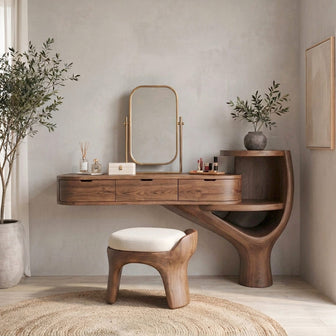
Sculptural Organic Solid Wood Vanity Desk – Modern Japandi Makeup & Writing Table
From $2,576.00
10% off at checkout
10% off
Sculptural Organic Solid Wood Vanity Desk – Modern Japandi Makeup & Writing Table
From $2,576.00
10% off at checkout
 10% off
Modern Live Edge L Shaped Desk For Study Room
From $2,340.00
10% off at checkout
10% off
Modern Live Edge L Shaped Desk For Study Room
From $2,340.00
10% off at checkout
Cable Management With a Live Edge Desk
Live edge desks rarely include built-in cable management (unlike manufactured desks with pre-routed channels). You need to add it intentionally.
Under-desk cable tray: Mount a mesh or J-channel cable tray to the slab's underside, centered behind your monitor position. The OSHA workstation guidelines recommend keeping cables off the floor to prevent trip hazards and allow easy chair movement.
Grommet placement: If you need a cable pass-through, place the grommet 4-6 inches from the back straight edge, away from the live edge. Drilling through the live edge weakens the thinnest part of the slab. A 2-inch grommet hole through a 2-inch thick slab is structurally fine in the center or rear area.
Wireless alternatives: A live edge desk is a showcase piece - visible cables detract from the natural wood aesthetic more than they would on a standard desk. Invest in wireless peripherals (keyboard, mouse, phone charger) and a single USB-C hub to consolidate wired connections to a single cable.
Lighting and Monitor Arm Considerations
A monitor arm clamp needs a flat, stable surface at least 0.75 inches thick. On a live edge desk, clamp the arm to the straight-cut back edge - never to the live edge, which may be thinner, bark-covered, or irregular in thickness.

Desk lamp placement: A dedicated floating shelf mounted 18-24 inches above the desk can hold a task lamp, freeing desk surface space. This also eliminates the shadow a desk lamp casts when positioned on the same surface as your work. Our floating desk ideas article walks through the specifics.
Ambient lighting: Position your desk so natural window light enters from the side, not from behind (creates screen glare) or directly in front (causes eye strain). Live edge desks look best in natural light - the grain depth and edge character are most visible with side lighting.
FAQ
What height should a live edge desk be? For seated use, the desk surface should be 25-32 inches from the floor, depending on your height. A 5'8" user needs approximately 28-29 inches. Remember to account for slab thickness: if your slab is 2 inches thick, your desk legs should be 27 inches tall (leg height + slab thickness = desk surface height of 29 inches).
Can I use a live edge slab with a sit-stand frame? Yes. All major standing desk frames (Uplift, FlexiSpot, Jarvis) support live edge slabs. You need longer mounting bolts (2.5-3 inches for a 2-inch slab) and should drill pilot holes from the underside. Maximum slab weight for most frames is 350+ lbs - far above the 55-85 lb range of typical desk slabs.
Is a live edge desk comfortable for long work sessions? With proper ergonomic setup, yes. The key is matching desk height to your body, using a desk pad over the live edge if your forearms rest there, and positioning your keyboard 8-12 inches from the front edge. The solid wood surface stays at room temperature (unlike metal or glass), which adds comfort during extended typing sessions.
How do I prevent my live edge desk from wobbling? Wobble comes from the base, not the slab. Use a frame or leg set with adjustable feet (leveling glides). On carpet, add furniture pads under each foot. For hairpin or wooden legs, confirm they're bolted into the slab at consistent depth. Unevenness in the slab's bottom surface - common with live edge - can be corrected by shimming between the slab and leg mounting plate.
Does a thicker slab make a better desk? A thicker slab (2-2.5 inches) provides more visual presence, better screw-holding strength for accessories, and greater resistance to sagging over long spans. However, it also adds weight and raises the desk surface height. For spans under 54 inches, a 1.5-inch slab performs fine. For spans 55-72 inches without center support, 2 inches minimum is recommended.