
























Quick view
- Why the Desktop Matters More Than the Frame
- Why Solid Wood for a Standing Desk Top
- Wood Species for a Standing Desk Top
- Desk Style: Live Edge, Floating, or Traditional
- Standing Desk for Small Home Office: Desktop Size Guide
- How to Pair a Solid Wood Top With Your Frame
- Why a Solid Wood Top Actually Helps Stability
- Real Customer Setups: How People Actually Use Ashdeco Desktops with Standing Frames
- Standing Desk Desktop: FAQ
- The Bottom Line: Invest in the Surface You Actually Touch
Shop this guide
Handcrafted Desk, made to order in solid wood.
 Christmas edit
Live Edge L-Shaped Desk – Handmade Solid Wood Corner Desk for Home Office
From $2,340.0010% off at checkout
Christmas edit
Live Edge L-Shaped Desk – Handmade Solid Wood Corner Desk for Home Office
From $2,340.0010% off at checkout
 Christmas edit
Sculptural Floating Live Edge Solid Wood Corner Desk & Wall-Mounted Workspace Slab
From $896.00
Christmas edit
Sculptural Floating Live Edge Solid Wood Corner Desk & Wall-Mounted Workspace Slab
From $896.00
 Rustic Floating Shelf Desk – Wall Mounted Study Room Workspace
From $250.00
Rustic Floating Shelf Desk – Wall Mounted Study Room Workspace
From $250.00
 Christmas edit
Handmade Live Edge Desk – Rustic Solid Wood Office Workstation for Home or Studio
From $2,860.0010% off at checkout
Christmas edit
Handmade Live Edge Desk – Rustic Solid Wood Office Workstation for Home or Studio
From $2,860.0010% off at checkout
 Christmas edit
Rustic Live Edge Wooden Desk for Home Office – Natural Wood Desk
From $1,440.00
Christmas edit
Rustic Live Edge Wooden Desk for Home Office – Natural Wood Desk
From $1,440.00
 Christmas edit
Computer Desk Ulm – Unique Mid Century Narrow Writing Desk, Solid Oak Minimalist Scandinavian Furniture
From $1,400.00
Christmas edit
Computer Desk Ulm – Unique Mid Century Narrow Writing Desk, Solid Oak Minimalist Scandinavian Furniture
From $1,400.00
Best Standing Desk for Home Office: Solid Wood Top Guide
When you search for the best standing desk for home office use, every review talks about the frame - motors, weight capacity, height presets. But here's the uncomfortable truth nobody wants to admit: the frame is only half the equation. The surface you actually rest your arms, monitors, and coffee on every single day? That's the desktop. And the material you choose determines whether your standing desk looks like a piece of furniture you're proud of, or a wobbly workbench you hide behind a monitor riser.
This guide focuses on what matters after you've picked your frame: choosing the right solid wood desktop - species, style, and size - for a standing desk setup that actually lasts.

Why the Desktop Matters More Than the Frame
Most standing desk frames on the market - dual-motor, adjustable, well-reviewed - ship with a standard desktop out of the box. Read the actual buyer reviews for those included desktops, and a pattern emerges. Here's what real buyers complain about, over and over:
- Wobble at standing height: "The desk shakes every time I type" is one of the most common complaints in low-star reviews. Frame engineering causes part of this, but a heavier, denser desktop - like solid hardwood - dampens vibration significantly compared to a lightweight stock top.
- Edge damage that can't be fixed: Thin printed surfaces chip at the edges within months, and once they do, there's no repair - only replacement.
- Wrong depth for dual monitors: Many standing desks ship in 48x24 inch tops. That's tight if you're running two 27-inch monitors plus a keyboard tray. People need 60+ inches with 24+ inch depth for comfortable dual-monitor standing setups.
- Generic look: The standard tops that come with most standing desk frames are functional but soulless - they kill the aesthetic of any room that isn't a corporate cubicle.
The frame gets your desk up and down. The desktop determines whether you actually want to look at it, work on it, and keep it for the next decade.

Why Solid Wood for a Standing Desk Top
A solid hardwood desktop is a single slab of genuine wood - not a veneer, not a print, not compressed chips. For a standing desk specifically, solid wood offers advantages a manufactured top can't match:
- Mass dampens vibration: A 60-inch solid wood slab weighs 40–60 lbs. That mass acts as a natural stabilizer, reducing the wobble you feel at standing height - especially when typing or using a mouse aggressively.
- No edge chipping: The edge is solid wood all the way through. If you ding it, you sand and re-oil it. Nothing to peel or replace.
- Ages gracefully: Walnut deepens in color over time. Oak develops a richer patina. A solid wood desktop looks better at year five than it did on day one.
- Custom sizing: A solid wood top can be ordered in any dimension - 72 inches wide, 30 inches deep, whatever your dual-monitor, dual-keyboard setup demands.
The trade-off is weight - a solid wood top needs a frame rated for it (most dual-motor frames handle 200–300 lbs easily, well above what a wood top plus monitors requires).

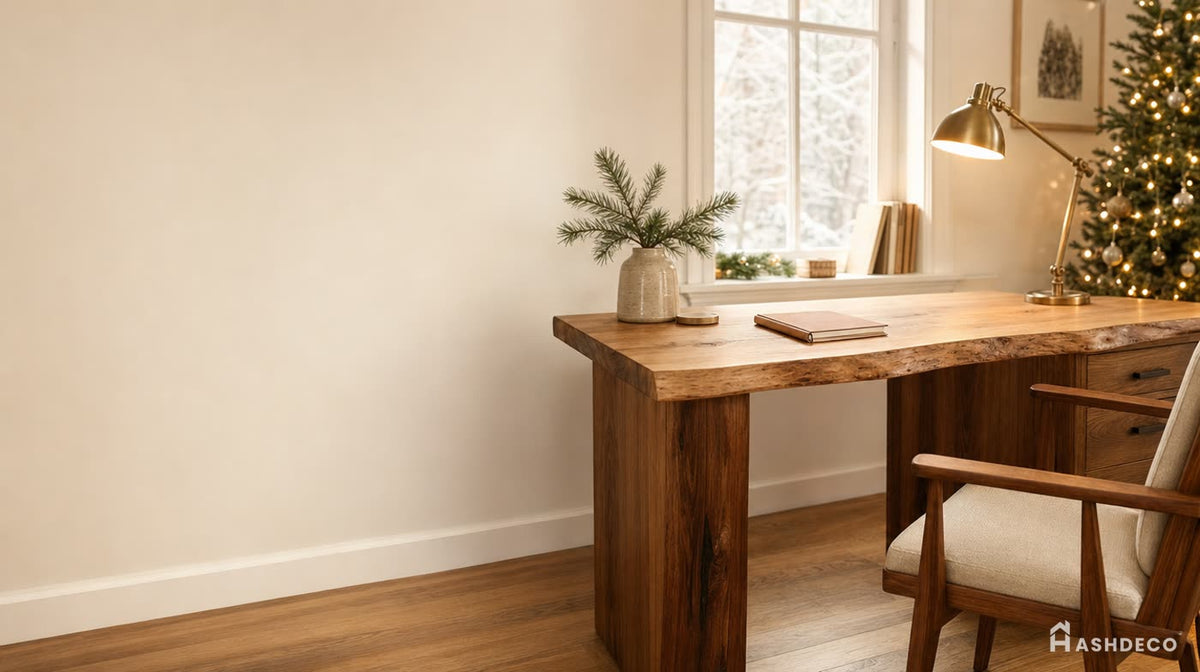


Wood Species for a Standing Desk Top
Ashdeco works in five primary hardwoods for desks. Each brings a different look and set of properties to a standing desk top:
Walnut
Dark, rich grain, very dense. The premium choice for a home office - deepens and richens in color with age. Best if you want the desk to read as a statement piece on video calls.
White Oak
Lighter tone, prominent grain, extremely hard. A classic choice that's been the standard for office furniture for generations - it resists dents and daily wear exceptionally well.
Acacia
Bold two-tone grain, honey-to-chocolate contrast. Naturally water-resistant, which matters for a desk that sees coffee spills. The most dramatic natural character of the common species, at a more accessible price point than walnut.
Teak
Golden-brown color, exceptional water resistance thanks to natural oil content. Handles condensation and the occasional spill without staining - a strong pick if your desk sits near a window or in a humid climate.
Saman (Monkeypod)
Wide, dramatic single-slab grain with a warm honey-to-dark contrast. Trees grow to significant width, which is why saman is a common choice for large single-piece desktops without seams.
Browse Ashdeco's desk collection to compare all five species across live edge and standard-edge styles.

Desk Style: Live Edge, Floating, or Traditional
Live Edge Desks
Live edge takes a solid hardwood slab and preserves the natural, organic contour of the tree along one or both edges. The working surface is sanded glass-smooth and sealed with oil or lacquer - only the edge retains its raw, natural character.
For a best standing desk setup, live edge offers something a straight-edge top can't: a statement piece. When you stand at your desk on a video call, or a colleague walks into your home office, a live edge top communicates intentionality. Live edge slabs are typically cut from a single tree trunk, so the grain runs the full length - straight grain running parallel to the long axis gives superior strength and flatness over decades.
Read our full guide on how to pick a live edge desk for standing or seated use.
Floating Desks
Wall-mounted solid wood surfaces that work as both seated and standing-height workstations, with zero floor space used and zero mechanical frame required. Mount at 28–30 inches for sitting, 38–42 inches for standing. Some customers install two floating desks at different heights on the same wall for a zero-frame sit-stand setup - no motors, no wobble, no cables hanging off a moving frame.
See our floating desk work from home setup guide for detailed sizing and installation instructions.
Traditional Desks
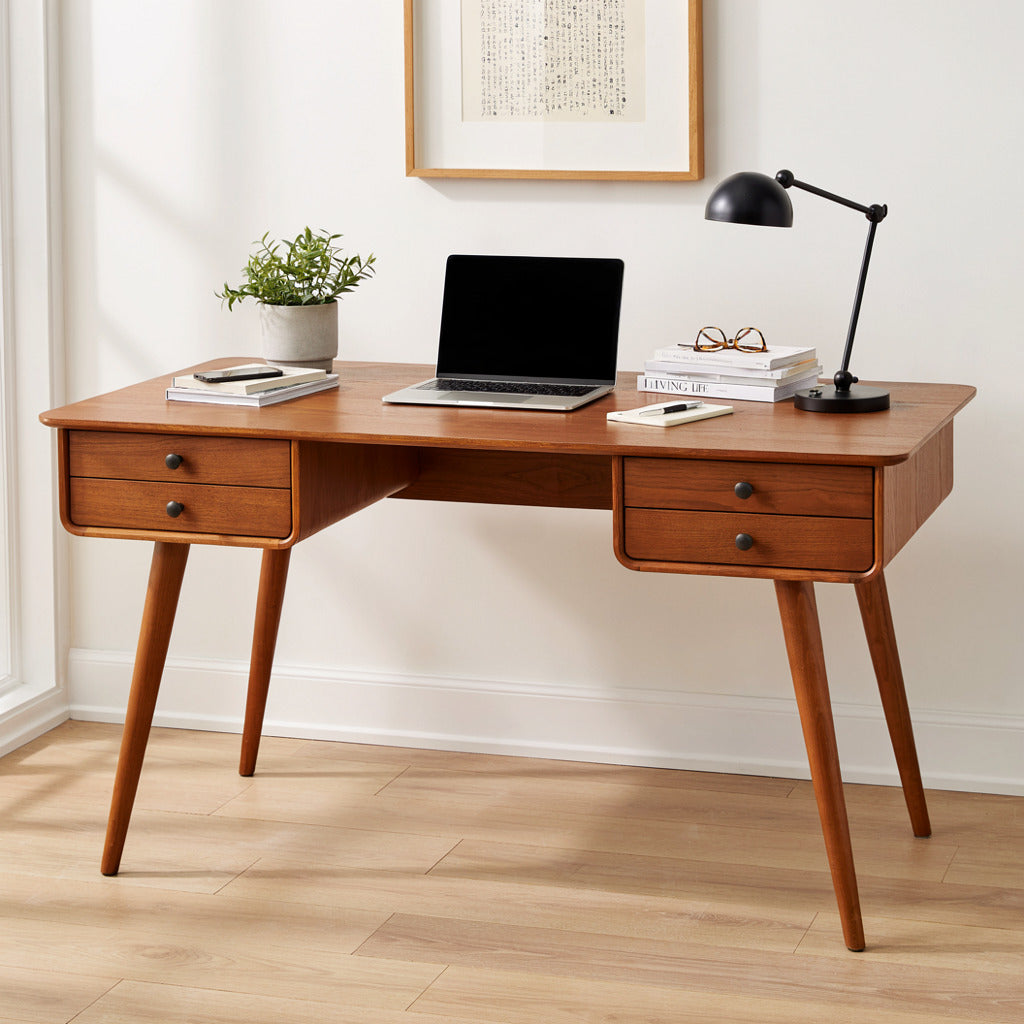
Traditional solid wood desks are full furniture pieces with built-in legs, drawers, and storage. These work as a permanent seated desk, with the option to add a separate standing surface - like a floating desk - nearby for a manual sit-stand setup.

Don't miss
These pieces qualify for 10% off orders over $2,000. Applied automatically at checkout.
10% off
Live Edge L-Shaped Desk – Handmade Solid Wood Corner Desk for Home Office
From $2,340.00
10% off at checkout
10% off
Handmade Live Edge Desk – Rustic Solid Wood Office Workstation for Home or Studio
From $2,860.00
10% off at checkout
 10% off
Sculptural Organic Solid Wood Vanity Desk – Modern Japandi Makeup & Writing Table
From $2,576.00
10% off at checkout
10% off
Sculptural Organic Solid Wood Vanity Desk – Modern Japandi Makeup & Writing Table
From $2,576.00
10% off at checkout
 10% off
Modern Live Edge L Shaped Desk For Study Room
From $2,340.00
10% off at checkout
10% off
Modern Live Edge L Shaped Desk For Study Room
From $2,340.00
10% off at checkout
Standing Desk for Small Home Office: Desktop Size Guide
One of the most overlooked decisions when building a standing desk is the desktop dimensions. Get this wrong, and no wood species or frame quality will save you from a cramped, frustrating workspace.
Minimum Depth for Different Setups
| Setup Type | Minimum Width | Minimum Depth | Recommended Depth |
|---|---|---|---|
| Laptop only | 36 inches | 16 inches | 18–20 inches |
| Laptop + 1 monitor | 48 inches | 20 inches | 22–24 inches |
| Dual monitors | 60 inches | 24 inches | 24–28 inches |
| Standing desk + monitor arm | 48 inches | 22 inches | 24–26 inches |
The depth mistake is the most common. A 20-inch deep desk sounds fine until you mount a 27-inch monitor on an arm and realize your keyboard takes up the remaining 8 inches with zero wrist rest space. For a standing desk for small home office setups, go with at least 22-inch depth. If you can swing 24 inches, your future self will thank you.
For tight spaces, a wall-mounted floating desk takes zero floor space - mount a wood desk at standing height (38–42 inches from floor) alongside a standard-height seated desk for a DIY sit-stand workspace without any mechanical frame at all.

How to Pair a Solid Wood Top With Your Frame
Step 1: Pick a Frame Rated for the Weight
You don't need the most expensive frame. You need a frame with:
- Dual motors: Single-motor frames struggle with heavy wood tops. Dual-motor frames handle 200+ lbs without strain.
- Height range that fits you: If you're 5'2" or 6'4", check the frame's min/max height. Most frames cover 25–50 inches, which works for 5'0" to 6'5" users.
- Memory presets: 2–4 programmable height positions save you from fiddling with the controller every time you switch between sitting and standing.
- Weight capacity above your total load: Add your wood top weight (40–80 lbs) + monitor weight (15–40 lbs) + accessories (10–20 lbs). Buy a frame rated for at least 1.5x your total.
Step 2: Choose Your Species and Style
Match the wood to the room: walnut or dark oak for a moody, statement office; acacia or saman for warmth and bold grain; teak if the desk sits somewhere humid. Match the style to your space: live edge for a conversation piece, floating for zero floor space, traditional if you want built-in drawers and a permanent seated setup.
Step 3: Match Depth to Your Monitors
Your monitor distance from your eyes should be roughly an arm's length (20–30 inches). If your desk is only 20 inches deep and your monitor sits on a stand (taking 6–8 inches of depth), your keyboard uses another 6 inches, leaving only 6–8 inches of empty desk edge. That's tight.
For dual monitors, go 24 inches deep minimum. For a single ultrawide (34–49 inch), 22 inches works. For laptop-only work, 18 inches is fine but 20 inches is more comfortable.
Step 4: Cable Management That Actually Works
- Use a cable management tray that mounts under the desktop and moves with the frame.
- Leave 6–8 inches of slack in your monitor power cord so the desk can reach full standing height without pulling.
- Route keyboard and mouse cables through a spiral wrap or Velcro sleeve attached to the frame leg.
- For floating desk standing setups, use adhesive cable raceways along the wall - cables run vertically from floor outlet to desk height and stay hidden.
Why a Solid Wood Top Actually Helps Stability
It sounds counterintuitive: heavier is better for stability? Yes - and here's the physics behind it.
Standing desk wobble comes from two sources: frame flex (the legs bending slightly at height) and top resonance (the desktop itself vibrating like a drum). A light top amplifies resonance. A heavy solid wood top absorbs it.
Think of it like a guitar. A thin, hollow body vibrates loudly. A thick, solid block of wood doesn't. Your standing desk works the same way. When you type on a light top at full standing height, the vibration travels through the material and you feel it in your wrists. Put that same frame under a 50-lb solid wood slab, and the mass dampens the vibration before it reaches you.

Real Customer Setups: How People Actually Use Ashdeco Desktops with Standing Frames
The Minimalist WFH Setup
Desktop: Solid wood writing desk from Ashdeco's desk collection
Why it works: Clean lines, natural wood grain visible from every angle on camera calls. The wood top adds enough weight to eliminate the micro-wobble that plagues lighter desktops at standing height.
The Live Edge Statement Desk
Desktop: Handmade live edge desk from Ashdeco
Why it works: The live edge organic contour transforms a functional standing desk into a conversation piece. Clients on video calls always ask about it. The natural wood variation means nobody else has the same desk.
The Zero-Frame Floating Standing Desk
Desktop: Floating desk from Ashdeco, mounted at 40 inches, no frame at all
Why it works: No motors, no wobble, no cables hanging from a moving frame. Just a beautiful solid wood surface at the perfect standing height. Pair it with a lower floating desk at 29 inches for sitting, and you have a manual sit-stand setup for less than the cost of a single motorized frame. Check our work from home floating desk guide for exact mounting heights and stud placement tips.
Standing Desk Desktop: FAQ
Can I put my own desktop on a standing desk frame?
Yes. Most standing desk frames ship with pre-drilled holes or mounting plates that accept any desktop 1–2 inches thick. You simply place your wood top on the frame and secure it with the provided screws. The key is ensuring your desktop is thick enough (1.5 inches minimum) for the screws to bite into solid wood rather than just surface veneer.
How thick should a standing desk top be?
1.5–2 inches is ideal - thin enough that most frames can handle the weight, thick enough to feel substantial and resist flexing under monitor weight. Live edge slabs are often 2–3 inches, which looks dramatic but requires a frame rated for 250+ lbs total capacity.
Does a heavier desktop make a standing desk less stable?
The opposite, within reason. A heavier desktop adds mass that dampens vibration and reduces the resonance wobble you feel at standing height. The concern is the frame's weight capacity - as long as your frame is rated for the combined weight of desktop + monitors + accessories (typically 80–150 lbs total), more desktop weight improves stability.
What wood species is best for a standing desk top?
Walnut for dense, dark, statement pieces; white oak for hardness and durability; acacia for bold grain and water resistance at a moderate price; teak for the best water resistance if the desk sits somewhere humid; saman for wide, single-slab desktops without seams. All five are available through Ashdeco's desk collection, handcrafted by Vietnamese artisans.
Can I use a floating desk as a standing desk?
Absolutely. Mount a floating desk at 38–42 inches from the floor (measured to the top surface) and you have a standing desk with zero mechanical parts. The wall mounting is actually more stable than most budget standing desk frames because it eliminates leg flex entirely. Ashdeco's floating desks are rated for 60–100 lbs depending on model and mounting, which handles dual monitors, a keyboard, and desk accessories with room to spare.
The Bottom Line: Invest in the Surface You Actually Touch
People spend weeks researching standing desk frames - motor types, weight capacities, warranty terms - then accept whatever desktop comes in the box. Flip that priority. Buy a reliable frame, then invest in a solid wood desktop that makes you want to sit - and stand - at your desk every day.
Whether you choose a live edge slab that makes every video call a conversation starter, a clean-lined solid wood top that pairs with any frame, or a floating wall-mounted desk that eliminates the frame entirely - the material matters. Your forearms rest on it for 8 hours a day. Make it count.
Browse all Ashdeco desks to find the desktop that turns your standing desk from a functional tool into the centerpiece of your home office.