



























Quick view
- Why a Floating Desk for WFH?
- Floating Desk Sizing Guide
- Ergonomics: Get the Height Right
- Cable Management for Floating Desks
- Best Rooms for a Floating Desk
- Mounting a Floating Desk: What You Need to Know
- Solid Wood vs Laminate Floating Desks
- Accessories to Complete Your Floating Desk Setup
- Frequently Asked Questions
- Shop Floating Desks
Shop this guide
Handcrafted Floating Desk, made to order in solid wood.
 Floating Live Edge Desk with Tree Branch Wall Shelf & Dual Drawers
From $1,800.00
Floating Live Edge Desk with Tree Branch Wall Shelf & Dual Drawers
From $1,800.00
 Modern Handcrafted Solid Wood Floating L-Shaped Corner Desk with Integrated Storage Cubbies & Drawer
From $1,621.00
Modern Handcrafted Solid Wood Floating L-Shaped Corner Desk with Integrated Storage Cubbies & Drawer
From $1,621.00
 Modern Handcrafted Solid Wood Floating L-Shaped Corner Desk with Integrated Pull-Out Drawer & Open Storage Cubby
From $1,643.00
Modern Handcrafted Solid Wood Floating L-Shaped Corner Desk with Integrated Pull-Out Drawer & Open Storage Cubby
From $1,643.00
 Christmas edit
Sculptural Floating Live Edge Solid Wood Corner Desk & Wall-Mounted Workspace Slab
From $896.00
Christmas edit
Sculptural Floating Live Edge Solid Wood Corner Desk & Wall-Mounted Workspace Slab
From $896.00
 Sculptural Floating Live Edge Solid Wood Desk with Carved Blossom Branch Wall Unit
From $2,359.0010% off at checkout
Sculptural Floating Live Edge Solid Wood Desk with Carved Blossom Branch Wall Unit
From $2,359.0010% off at checkout
 Organic Live Edge Solid Wood L-Shaped Corner Desk
From $1,900.00
Organic Live Edge Solid Wood L-Shaped Corner Desk
From $1,900.00
Working from home is permanent for millions of Americans. But most WFH setups are either a laptop on the kitchen table or a massive desk dominating a small bedroom. A floating desk is the middle ground: a real workspace that doesn't eat your floor space.
This guide covers everything about setting up a wall mounted desk for productive work from home: sizing, ergonomics, cable management, and why material matters more than you'd expect.

Why a Floating Desk for WFH?
Space Savings
A traditional desk takes 15-20 square feet of floor space (desk + chair clearance). A floating desk takes zero floor space. The desk surface mounts to the wall; only the chair sits on the floor. In a 10x10 bedroom doubling as an office, this difference is enormous.
Clean Aesthetic
No legs means the floor line is unbroken. The room looks larger and cleaner. When you're done working, push the chair under and the space visually "disappears" as a workspace.
Ergonomic Flexibility
You mount a floating desk at exactly the height you need. Standard desk height (28-30") works for most people, but if you're tall (32") or want a standing-height option (42-44"), a floating desk accommodates without buying a new piece of furniture.

Floating Desk Sizing Guide
| Use Case | Width | Depth | Height from Floor |
|---|---|---|---|
| Laptop only | 36" | 16-18" | 28-30" |
| Laptop + monitor | 48" | 20-22" | 28-30" |
| Dual monitors | 60" | 24" | 28-30" |
| Standing desk | 48-60" | 20-24" | 42-44" |
Minimum depth: 16" for just a laptop. 20" if you use an external monitor (the monitor needs setback distance for comfortable viewing). 24" for dual monitors or if you write/sketch at the desk.
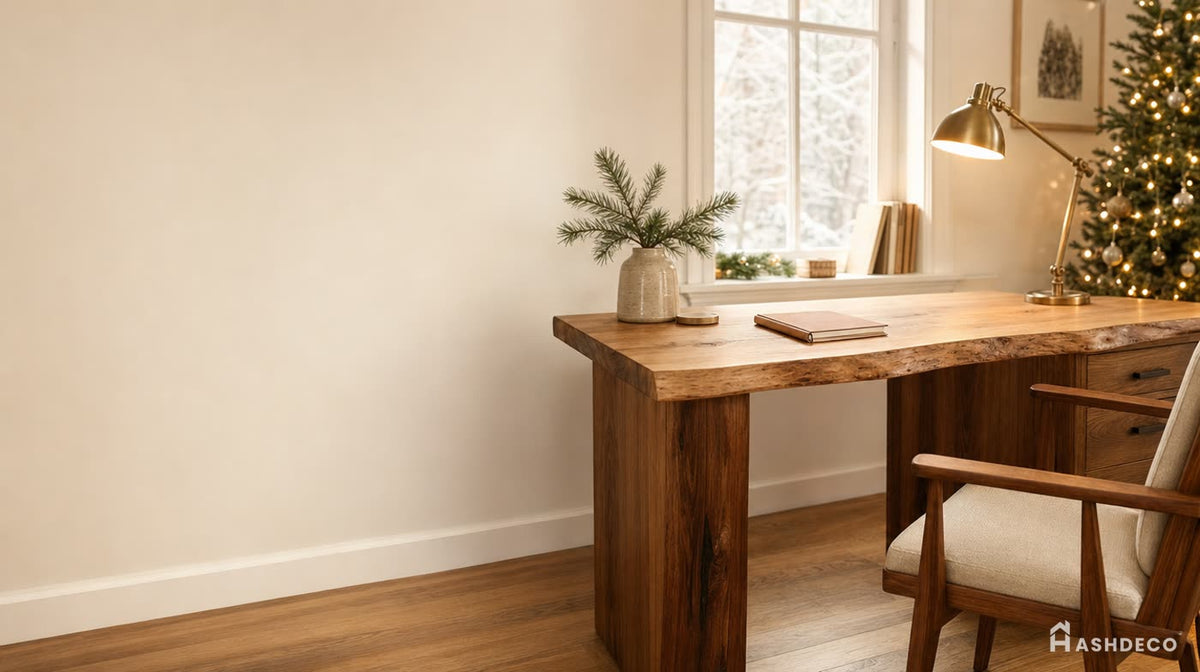


Ergonomics: Get the Height Right
Unlike freestanding desks, you set the height permanently when you mount a floating desk. Measure correctly before drilling:
- Sit in your chair. Adjust chair height so your feet are flat on the floor, thighs parallel to the ground.
- Bend elbows 90 degrees. Your forearms should be parallel to the floor.
- Measure from floor to your elbow. This is your ideal desk surface height.
- Standard range: 28" for shorter people, 30" average, 32" for tall (6'+).
Monitor height: Top of the screen should be at eye level. If using a laptop only, consider a laptop stand ($15-25) to raise the screen and pair with an external keyboard.

Cable Management for Floating Desks
The whole point of a floating desk is clean aesthetics. Visible cables destroy that. Here's how to manage them:
Essential Cable Solutions
- Cable tray under the desk: Mount a mesh cable tray to the underside of the floating desk. All power strips and excess cable length hide here.
- Cord cover on the wall: A paintable cord cover ($8-12) runs from the desk down to the outlet. Paint it the wall color and it's invisible.
- Wireless where possible: Wireless keyboard, mouse, and headphones eliminate 3 cables instantly.
- USB hub mounted under desk: One cable from hub to laptop instead of 4-5 individual cables on the desk surface.
Power Strip Placement
Mount a surge protector to the underside of the desk or to the wall behind it. The cord runs down the wall through a cord cover to the outlet. Result: zero visible cables from the front.

Don't miss
These pieces qualify for 10% off orders over $2,000. Applied automatically at checkout.
10% off
Sculptural Floating Live Edge Solid Wood Desk with Carved Blossom Branch Wall Unit
From $2,359.00
10% off at checkout
 10% off
Modern Floating Wall Desk with Drawers – Minimalist Solid Wood Home Office Desk
From $2,534.00
10% off at checkout
10% off
Modern Floating Wall Desk with Drawers – Minimalist Solid Wood Home Office Desk
From $2,534.00
10% off at checkout
 10% off
Floating Wooden Desk with Wall Shelves – Minimalist Solid Wood Workstation
From $2,345.00
10% off at checkout
10% off
Floating Wooden Desk with Wall Shelves – Minimalist Solid Wood Workstation
From $2,345.00
10% off at checkout
 10% off
Ashdeco Wall Mounted Desk – Modern Floating Wooden Desk with Storage Drawers
From $3,245.00
10% off at checkout
10% off
Ashdeco Wall Mounted Desk – Modern Floating Wooden Desk with Storage Drawers
From $3,245.00
10% off at checkout
Best Rooms for a Floating Desk
Bedroom
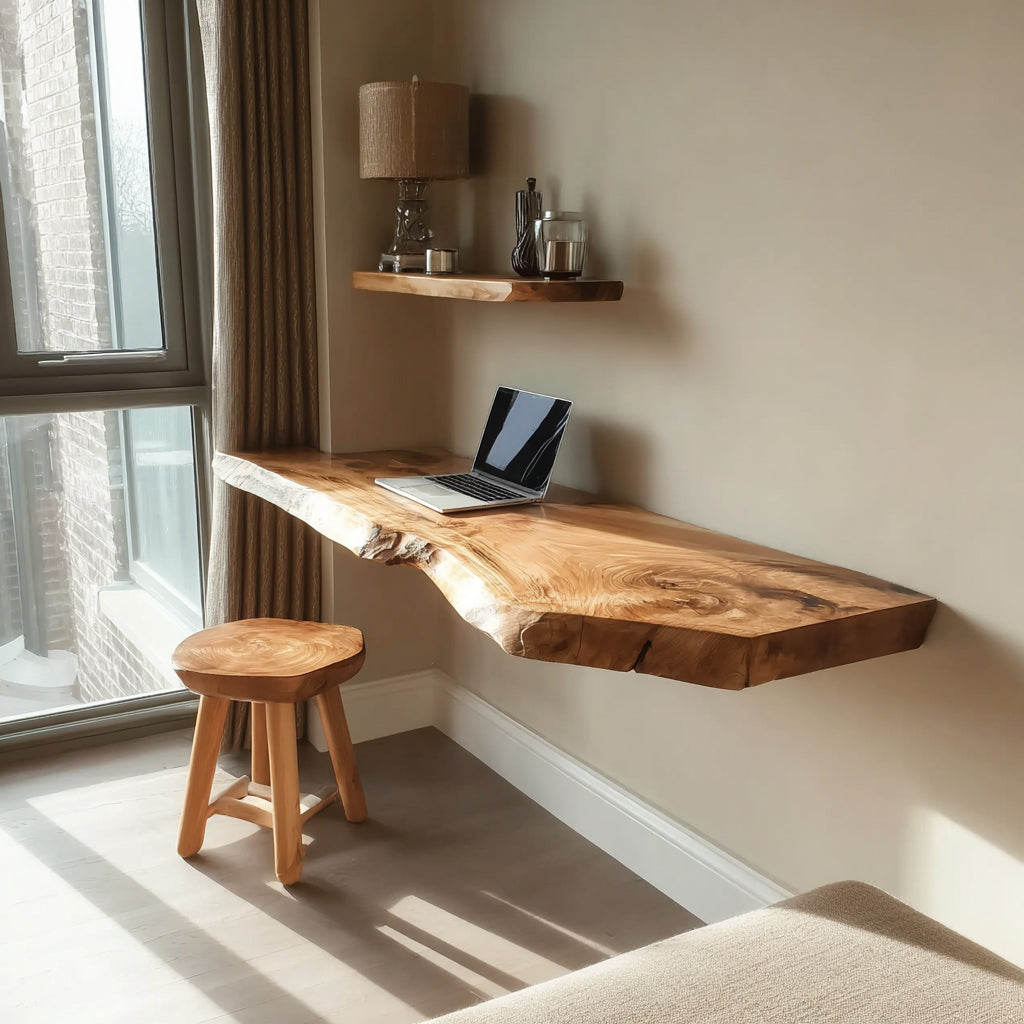
Most common WFH setup. Mount the floating desk on the wall opposite the bed. When not working, push the chair under and the "office" virtually disappears. A floating shelf above the desk adds storage without a bookcase.
Living Room Nook
That awkward alcove or corner that's too small for furniture? Perfect for a 36-48" floating desk. Add a small stool that tucks completely under when not in use.
Hallway
Wide hallways (4+ feet) can accommodate a shallow floating desk (16" depth) as a "landing pad" for quick email checks, paying bills, or a kids' homework station.
Closet Conversion
Remove the closet rod and shelf. Mount a floating desk at 30" height across the back wall. The closet becomes a private office nook. Close the door to hide everything.

Mounting a Floating Desk: What You Need to Know
A floating desk holds more weight than a floating shelf because you're leaning on it, resting arms, sometimes stacking books and equipment. Proper mounting is critical.
- Weight to support: Plan for 50-80 lbs (desk items + arm weight when leaning)
- Mounting method: Heavy-duty French cleat or steel L-brackets into studs
- Minimum 2 studs: Studs are 16" apart. A 48" desk should hit 3 studs. A 36" desk hits 2-3.
- No drywall-only mounting. A desk will pull out of drywall anchors within weeks of regular use.
Watch how Ashdeco's French cleat system mounts a heavy solid wood piece to the wall:
Video: French cleat installation for wall-mounted furniture
Solid Wood vs Laminate Floating Desks
| Laminate/MDF | Solid Hardwood | |
|---|---|---|
| Feel | Cold, plastic-like | Warm, natural texture |
| Writing surface | Slippery | Natural grip, pleasant to write on |
| Scratch resistance | Chips reveal brown core | Scratches blend into grain |
| Weight capacity | 30-50 lbs | 60-100 lbs |
| Sag over time | Yes, especially over 36" | No (hardwood doesn't creep) |
| Lifespan | 3-5 years | 20+ years |
Ashdeco's floating desks are solid hardwood with natural oil finish. The surface feels warm under your hands, doesn't reflect monitor glare, and develops character over years of use.

Accessories to Complete Your Floating Desk Setup
- Floating shelf above desk: 12-18" above desk surface. Holds books, speakers, plants. Matching wood floating shelf creates a cohesive look.
- Monitor arm: Clamps to desk edge, frees surface space, adjustable height
- Desk pad: Felt or leather desk pad protects wood and defines the workspace area
- Small plant: One pothos or succulent. Proven to reduce stress during work.
- Task lighting: Clip-on or wall-mounted lamp so nothing takes desk space
Frequently Asked Questions
Can a floating desk hold a monitor?
Solid wood floating desks hold 60-100 lbs easily. A 27" monitor weighs 10-15 lbs. Even with a laptop, keyboard, and accessories, you're well within capacity. MDF floating desks have lower limits (30-50 lbs) and may sag over time with a heavy monitor.
Is a floating desk comfortable for full-time work?
Yes, if the height is correct and you have a good chair. The desk itself doesn't affect comfort. Ergonomics come from height, chair, and monitor position. A floating desk can be more ergonomic than a standard desk because you set the exact height for your body.
Can I convert a floating desk to standing height?
Not easily since it's wall-mounted at a fixed height. If you want both, mount two floating surfaces: one at 30" (sitting) and one at 42" (standing) on different walls. Or mount at sitting height and add a laptop riser for occasional standing.
What's the ideal depth for a floating desk?
20-22" for most setups. This gives enough room for a laptop or monitor with comfortable viewing distance. 16" works for laptop-only if space is very tight. Beyond 24" is unnecessary for most WFH setups and wastes wall depth.
How do I hide cables with a floating desk?
Under-desk cable tray, paintable cord covers on the wall, wireless peripherals, and a single USB-C hub. Total cost for full cable management: $30-50. The result is a completely clean desk surface and wall.
Shop Floating Desks
Ashdeco floating desks are handcrafted from solid hardwood by Vietnamese artisans. French cleat mounting system holds 60-100 lbs. Natural oil finish.
- Floating Desks
- Floating Shelves (pair above your desk)
Free shipping. Ships fully assembled. Mount in 30 minutes.