





























Quick view
- Why Floating Desks Are Having a Moment
- Types of Floating Desks
- Weight Capacity: Can It Hold Your Monitor?
- Installation: The Part That Determines Everything
- Desk Height: Getting It Ergonomically Right
- Floating Desks for Small Room Solutions
- Material: Why Solid Wood Makes a Better Floating Desk
- Common Floating Desk Mistakes
- Frequently Asked Questions
- Creating Your Wall-Mounted Workspace
Shop this guide
Handcrafted Floating Desk, made to order in solid wood.
 Floating Live Edge Desk with Tree Branch Wall Shelf & Dual Drawers
From $1,800.00
Floating Live Edge Desk with Tree Branch Wall Shelf & Dual Drawers
From $1,800.00
 Modern Handcrafted Solid Wood Floating L-Shaped Corner Desk with Integrated Storage Cubbies & Drawer
From $1,621.00
Modern Handcrafted Solid Wood Floating L-Shaped Corner Desk with Integrated Storage Cubbies & Drawer
From $1,621.00
 Modern Handcrafted Solid Wood Floating L-Shaped Corner Desk with Integrated Pull-Out Drawer & Open Storage Cubby
From $1,643.00
Modern Handcrafted Solid Wood Floating L-Shaped Corner Desk with Integrated Pull-Out Drawer & Open Storage Cubby
From $1,643.00
 Christmas edit
Sculptural Floating Live Edge Solid Wood Corner Desk & Wall-Mounted Workspace Slab
From $896.00
Christmas edit
Sculptural Floating Live Edge Solid Wood Corner Desk & Wall-Mounted Workspace Slab
From $896.00
 Sculptural Floating Live Edge Solid Wood Desk with Carved Blossom Branch Wall Unit
From $2,359.0010% off at checkout
Sculptural Floating Live Edge Solid Wood Desk with Carved Blossom Branch Wall Unit
From $2,359.0010% off at checkout
 Organic Live Edge Solid Wood L-Shaped Corner Desk
From $1,900.00
Organic Live Edge Solid Wood L-Shaped Corner Desk
From $1,900.00
Why Floating Desks Are Having a Moment
Remote work changed what we need from our homes, and not everyone has a spare room for a home office. Studios, one-bedrooms, and small apartments need workspace that disappears when work is done - and a traditional desk with four legs and a 24 × 48 inch footprint doesn't disappear. It just sits there, dominating the room, reminding you of work during off-hours.
A floating desk mounts to the wall. No legs touching the floor. No bulky frame. The floor beneath it stays open - visually and practically. You can vacuum under it, push a chair fully underneath when not in use, and in a small room, that floor space isn't a minor detail. It's the difference between a room that feels cramped and one that feels functional.
But floating desks aren't one-size-fits-all. Weight capacity varies enormously. Installation quality determines whether your desk holds a monitor or pulls out of the wall. And not every wall can support one. This guide covers the types, specifications, and practical considerations for choosing a wall-mounted workspace that actually works.

Types of Floating Desks
Wall-Mounted Shelf Desk
The simplest design: a horizontal surface mounted to the wall with brackets or a hidden French cleat. No additional structure - just a shelf at desk height.
- Depth: Typically 10-16 inches
- Best for: Laptop-only workstations, charging stations, small writing surfaces
- Weight capacity: 25-50 lbs depending on mounting method and wall type
- Limitations: Not deep enough for a full monitor setup without bracket modifications
Fold-Down Desk (Murphy Desk)
A desk surface that folds up against the wall when not in use, often with a cabinet face that conceals the desk interior. Open the cabinet, fold down the desk surface, and you have a workspace. Close it, and it looks like a wall-mounted cabinet.
- Depth when open: 18-24 inches
- Best for: Spaces where the desk needs to fully disappear (studio apartments, shared bedrooms, multipurpose rooms)
- Weight capacity when open: 30-60 lbs (limited by the hinge mechanism and support chains/brackets)
- Limitations: You clear the desk surface every time you fold it up. Not ideal for permanent monitor setups. The hinge mechanism is a failure point - cheap hinges wear out within 1-2 years of daily use.
Built-In Floating Desk (Cantilevered)
A thick desk surface that extends from the wall with no visible brackets or supports. The mounting hardware is hidden inside the desk and behind the wall. This is the cleanest look , the desk appears to float from the wall as a solid, unsupported surface.
- Depth: 16-24 inches
- Best for: Dedicated home offices where the desk stays in place, design-forward spaces
- Weight capacity: 50-100+ lbs with proper mounting (steel rod or French cleat systems anchored to studs)
- Limitations: Requires wall studs or concrete anchors. Installation is more involved than shelf mounting. Removal leaves significant wall damage.
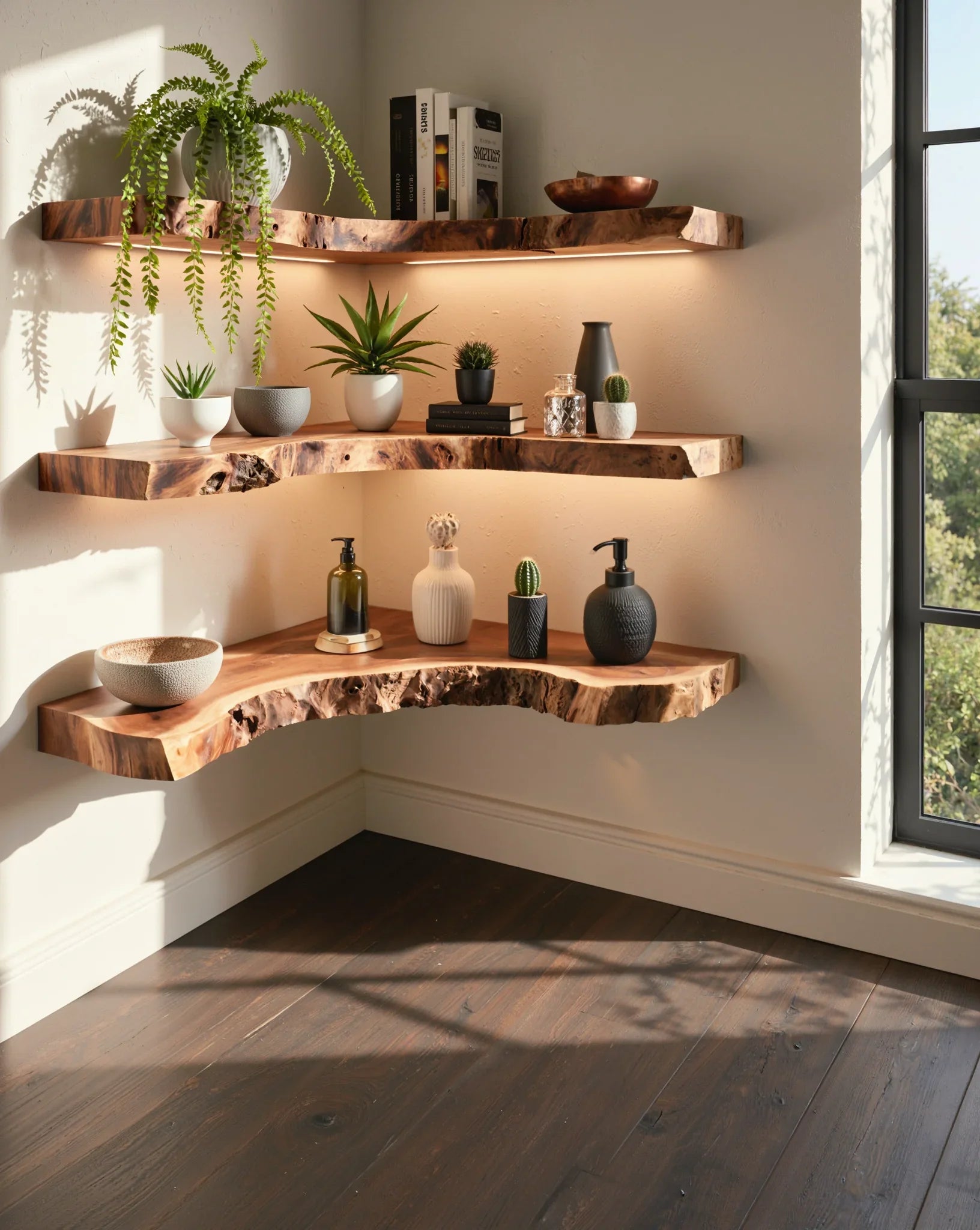
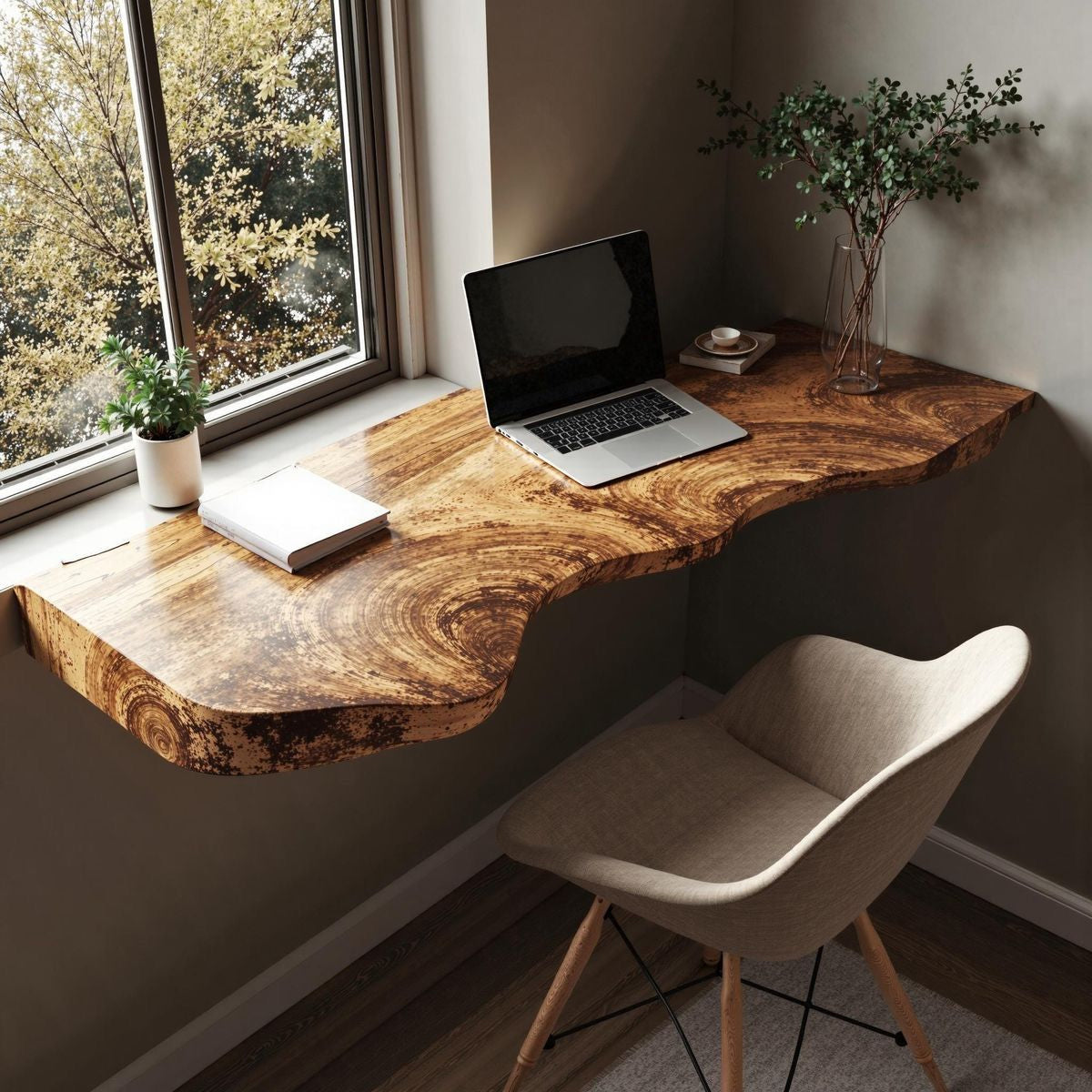
Corner Floating Desk
An L-shaped or triangular desk mounted in a room corner, using two walls for support. Corners are structurally stronger mounting points because the desk is supported on two sides.
- Surface area: Larger than wall-mounted desks at the same depth because the L-shape provides diagonal workspace
- Best for: Unused corners in bedrooms, living rooms, or hallways
- Weight capacity: High , two-wall mounting distributes weight more effectively than single-wall
- Limitations: Fixed position (corners aren't optional). Both walls need studs or solid anchor points at the right locations.


Weight Capacity: Can It Hold Your Monitor?
This is the question that determines whether a floating desk is a real workspace or just a decorative shelf. Here's what your setup actually weighs:
- Laptop only: 3-8 lbs (any floating desk handles this)
- 24-inch monitor: 8-15 lbs
- 27-inch monitor: 12-20 lbs
- Dual monitors: 20-40 lbs
- Monitor arm (clamped to desk): 5-10 lbs (plus the monitor weight, and the clamp creates concentrated stress at one point)
- Keyboard, mouse, desk accessories: 3-8 lbs
- Books, speaker, lamp: 5-15 lbs
- Forearm weight while typing: 5-10 lbs of dynamic load
Realistic workspace load: A single-monitor setup with keyboard, accessories, and typing pressure creates 25-45 lbs of sustained load. A dual-monitor setup with accessories reaches 40-70 lbs. Add a heavy monitor arm clamped to the desk edge, and the stress concentrates at that point rather than distributing across the surface.
The lesson: Any floating desk rated under 40 lbs is a laptop-only surface, not a monitor workstation. For a real desk setup, you need 50+ lbs of capacity , and that capacity needs to be rated for sustained static load, not brief peak load.
Installation: The Part That Determines Everything
A floating desk is only as good as its attachment to the wall. Get this wrong, and the desk eventually pulls out , along with a chunk of drywall.
Mounting Into Studs
The strongest option. Wood studs in standard American framing are 16 inches apart (sometimes 24 inches). Each stud can support 80-100+ lbs in shear (pulling downward) when you use 3-inch lag screws or structural screws.
- Use a stud finder to locate studs , electronic models are more reliable than magnetic ones for finding center
- Mount the desk bracket or cleat into at least two studs
- Use 3-inch lag screws (minimum 5/16 inch diameter) or structural screws rated for the load
- Pre-drill to prevent splitting the stud
Mounting Into Concrete or Masonry
Common in apartments with concrete walls. Concrete anchors provide excellent holding power , often stronger than wood studs.
- Use concrete sleeve anchors or wedge anchors rated for your load
- Drill with a hammer drill and masonry bit
- Each anchor in solid concrete can support 50-100+ lbs
- Avoid drilling into mortar joints in brick walls , the brick itself is the structural material
Mounting Into Drywall Only (Avoid This)
Drywall alone cannot support a loaded desk. Toggle bolts in drywall hold 25-50 lbs each, but drywall is only 0.5 inches thick and crumbles under sustained stress. A 40-lb desk with a 30-lb monitor will eventually pull toggle bolts through the drywall.
- Acceptable: Drywall anchors for a lightweight shelf desk holding only a laptop (under 20 lbs total)
- Not acceptable: Drywall-only mounting for any desk supporting a monitor or used as a primary workspace
- Alternative: Mount a plywood backer board to studs behind the drywall, then mount the desk to the plywood. This distributes load across the wall surface.

Don't miss
These pieces qualify for 10% off orders over $2,000. Applied automatically at checkout.
10% off
Sculptural Floating Live Edge Solid Wood Desk with Carved Blossom Branch Wall Unit
From $2,359.00
10% off at checkout
 10% off
Modern Floating Wall Desk with Drawers – Minimalist Solid Wood Home Office Desk
From $2,534.00
10% off at checkout
10% off
Modern Floating Wall Desk with Drawers – Minimalist Solid Wood Home Office Desk
From $2,534.00
10% off at checkout
 10% off
Floating Wooden Desk with Wall Shelves – Minimalist Solid Wood Workstation
From $2,345.00
10% off at checkout
10% off
Floating Wooden Desk with Wall Shelves – Minimalist Solid Wood Workstation
From $2,345.00
10% off at checkout
 10% off
Ashdeco Wall Mounted Desk – Modern Floating Wooden Desk with Storage Drawers
From $3,245.00
10% off at checkout
10% off
Ashdeco Wall Mounted Desk – Modern Floating Wooden Desk with Storage Drawers
From $3,245.00
10% off at checkout
Desk Height: Getting It Ergonomically Right
A floating desk has one significant advantage over a traditional desk: you set the height at installation. No adjustable legs to deal with, no predetermined factory height. You choose exactly where it goes on the wall.
Standard desk height: 28-30 inches from floor to desk surface. This works for most adults (5'4" to 6'0") using a standard office chair.
Personalized height:
- Sit in your desk chair at its normal height
- Let your arms hang naturally, then bend your elbows to 90 degrees
- Your forearms should be parallel to the floor , this is your ideal desk surface height
- For most people, this is 27-31 inches from the floor
Standing desk height: If you want to use the floating desk as a standing workstation, mount it at 38-44 inches (elbow height while standing). Some people install two mounting points and move the desk between sitting and standing heights, but this requires a removable mounting system.
Floating Desks for Small Room Solutions
This is where floating desks truly earn their place. In rooms where a traditional desk would dominate, a floating desk provides a workspace that visually and physically takes up less room.
Bedroom Office Nook
Mount a 36-42 inch floating desk along a bedroom wall, positioned so you face the wall (away from the bed) while working. The psychological separation of facing away from the bed helps with work focus. When work is done, push the chair under the desk , the open floor underneath prevents the desk from making the bedroom feel like an office.
Living Room Side Wall
A narrow floating desk (12-16 inches deep) along a living room side wall serves as a workspace without disrupting the room's primary function. Add floating shelves above for supplies and books , the vertical storage matches the wall-mounted desk aesthetic and keeps the floor clear.
Hallway or Landing
Wide hallways (4+ feet) and staircase landings are surprisingly good locations for floating desks. A 36 × 14 inch desk in a hallway creates a quick-use workspace for bill paying, note writing, or laptop use without dedicating a room to office functions.
Closet Conversion
Mount a floating desk inside a closet, remove the closet doors (or replace with curtains), and you have a "cloffice" , a closet-office. The walls on three sides provide natural sound insulation and visual focus. Add a light strip above and wall-mounted shelves on the side walls for a fully functional microoffice.
Material: Why Solid Wood Makes a Better Floating Desk
A floating desk needs structural integrity more than a desk with four legs because the wall mount bears all the load. The material has to resist bending under concentrated weight (like a monitor arm clamp or your forearms pressing down while typing).
MDF floating desks: Common in the $50-$150 range. MDF is dense but not structurally strong across longer spans. A 36-inch MDF desk with a monitor and accessories develops a visible sag at the leading edge within 6-12 months. The material also doesn't hold mounting hardware well , screws loosen in MDF faster than in solid wood.
Plywood floating desks: Better than MDF for structural spans. Quality birch plywood resists bending well and holds screws firmly. A good mid-range option, especially if the plywood is 1 inch or thicker.
Solid wood floating desks: The strongest option for the span involved. Hardwoods like walnut, oak, and acacia have the natural rigidity to span 36-48 inches without support brackets underneath. The mounting hardware grips into long grain fibers that don't strip or loosen. And the desk surface develops character rather than degradation , a quality that matters for furniture you look at for hours every workday.
At Ashdeco, our floating desks are handcrafted by Vietnamese artisans from solid hardwood. The wall-mounted design maintains the clean, minimalist look while the wood provides the structural integrity to support a real workspace , a laptop, but monitors, accessories, and the daily pressure of actual work.
Common Floating Desk Mistakes
- Mounting too high or too low: Measure your ergonomic desk height before drilling. Holes in the wall from a misplaced first attempt are difficult to repair and weaken the mounting surface.
- Mounting only into drywall: No amount of drywall anchors can safely support a loaded desk long-term. Find the studs or use concrete anchors.
- Choosing too narrow a depth: Desks under 14 inches deep work for laptops but not for comfortable typing with a separate keyboard and mouse. For monitor setups, 18-24 inches is necessary to maintain comfortable viewing distance.
- Forgetting outlet access: A floating desk with no nearby outlet means cables running across or down the wall to a floor outlet. Check outlet locations before choosing a wall for mounting.
- Ignoring chair clearance: The desk needs at least 28 inches of clear space in front for a chair to slide in and out. In a small room, verify this clearance before committing to the location.
Frequently Asked Questions
How much weight can a floating desk hold?
A properly mounted floating desk (two or more studs, lag screws, quality bracket or cleat) holds 50-100+ lbs. The limiting factor is usually the desk material, not the wall mount. Solid wood desks handle 50-100 lbs without sagging. MDF desks start sagging at 25-30 lbs over typical spans. Always mount into studs or concrete , never rely on drywall alone.
Can I put a monitor on a floating desk?
Yes, if the desk is rated for the weight and mounted properly. A single 24-27 inch monitor weighs 10-20 lbs. With a keyboard, mouse, and accessories, your total load reaches 25-45 lbs. Use a desk with at least 50 lbs capacity mounted into studs. For monitor arms that clamp to the desk edge, ensure the desk material is at least 0.75 inches thick and not MDF (clamps crush MDF edges).
What is the best depth for a floating desk?
For laptop use only: 12-16 inches. For a monitor setup with keyboard and mouse: 18-24 inches. The monitor should sit at least 20 inches from your eyes, and you need space for a keyboard in front of that. Under 18 inches forces you to sit too close to the screen.
How high should I mount a floating desk?
Standard desk height is 28-30 inches from floor to desk surface. To find your ideal height, sit in your desk chair with arms at 90 degrees , the height where your forearms are level is your target. For standing use, 38-44 inches. Mount carefully because adjusting height means new holes in the wall.
Do floating desks damage walls?
Installation requires drilling holes for mounting hardware (lag screws or concrete anchors). Removal leaves 2-6 holes depending on the mounting system. These are repairable with spackle and paint, but they're not invisible. French cleat systems leave a longer horizontal mark. If you're renting, check your lease for wall-mounting permissions.
Can I install a floating desk in a rental apartment?
Many rental agreements allow wall mounting with the expectation that you'll patch holes when you leave. Check your lease first. For a less permanent option, use a fold-down desk mounted with removable adhesive brackets , though these have lower weight capacity than screw-mounted systems.
Creating Your Wall-Mounted Workspace
A floating desk turns unused wall space into a functional workspace. In small rooms, that's not a luxury , it's the only practical option that doesn't sacrifice floor space you need for living.
The key decisions: mount into studs (non-negotiable for real work setups), choose a material that handles your equipment weight without sagging, and measure your ergonomic height before you drill.
At Ashdeco, our floating desks are handcrafted from solid hardwood by Vietnamese artisans. They provide the structural strength for monitor setups, the refined appearance of real wood grain, and the durability to serve as a daily workspace for years. Pair one with floating shelves above for a complete wall-mounted workstation that keeps your entire floor plan open.